Onboarding Guide
Updated by Maxime_48 · 1 week ago · Views: 333
When you start using the panel, a floating guide appears in the bottom-right corner. It walks you through 5 key steps to get up and running quickly.
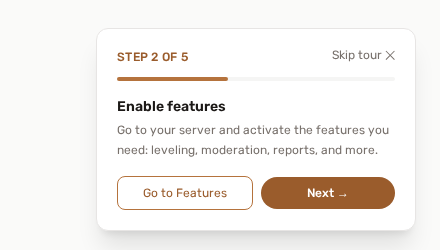
🧭 What the guide covers
- Welcome to YAWBDB: add your Discord server: click the + button on the dashboard to invite the bot
- Enable features: go to your server and activate the features you need: leveling, moderation, reports, and more
- Configure features: fine-tune each feature from its settings panel: roles, channels, thresholds, and more
- Discover the Chat: the panel chat lets you talk with your team directly from YAWBDB
- Set up your profile: add a profile picture and configure your notification preferences
The guide shows your current step and a progress bar so you always know where you are.
Steps 2 to 5 each have a shortcut button that takes you to the right page (Go to Features, Go to Settings, Open Chat, Go to Profile). Click Next → to move on; the last step ends with Finish 🎉.
⏭️ Skipping the guide
You can dismiss the guide at any point by clicking Skip tour at the bottom of the card. Skipping hides it permanently: it won't come back after navigation or login.
🔄 Restarting the tour
If you skipped the guide and want to go through it again later, go to Panel → Profile and click Restart the tour. The guide will reappear from step 1 on your next page.
👥 Team members
Each team member has their own independent tour progress. A team member who joins later will start the guide from their own step 1, independently of the server owner.