Rank Card & Public Leaderboard
Updated by Maxime_48 · 1 week ago · 88 views
Turn your server's leveling into something members actually want to show off: /rank and /leaderboard now come with a polished image card, and you can publish a public web leaderboard anyone can open — no Discord login required.
🎴 The rank card
When a member runs /rank (or /rank @someone), the reply includes a generated image showing their avatar, rank, level, prestige, an XP progress bar, their title and streak.
The image sits alongside the usual details — total XP, active XP boosts, and everything else stays in the message, so you never lose information. /leaderboard works the same way: a card image plus the full ranked list (the image shows the same page you're viewing).
If image generation ever fails, the command still replies with the full text details —
/rankalways works.
🎨 Customising the card
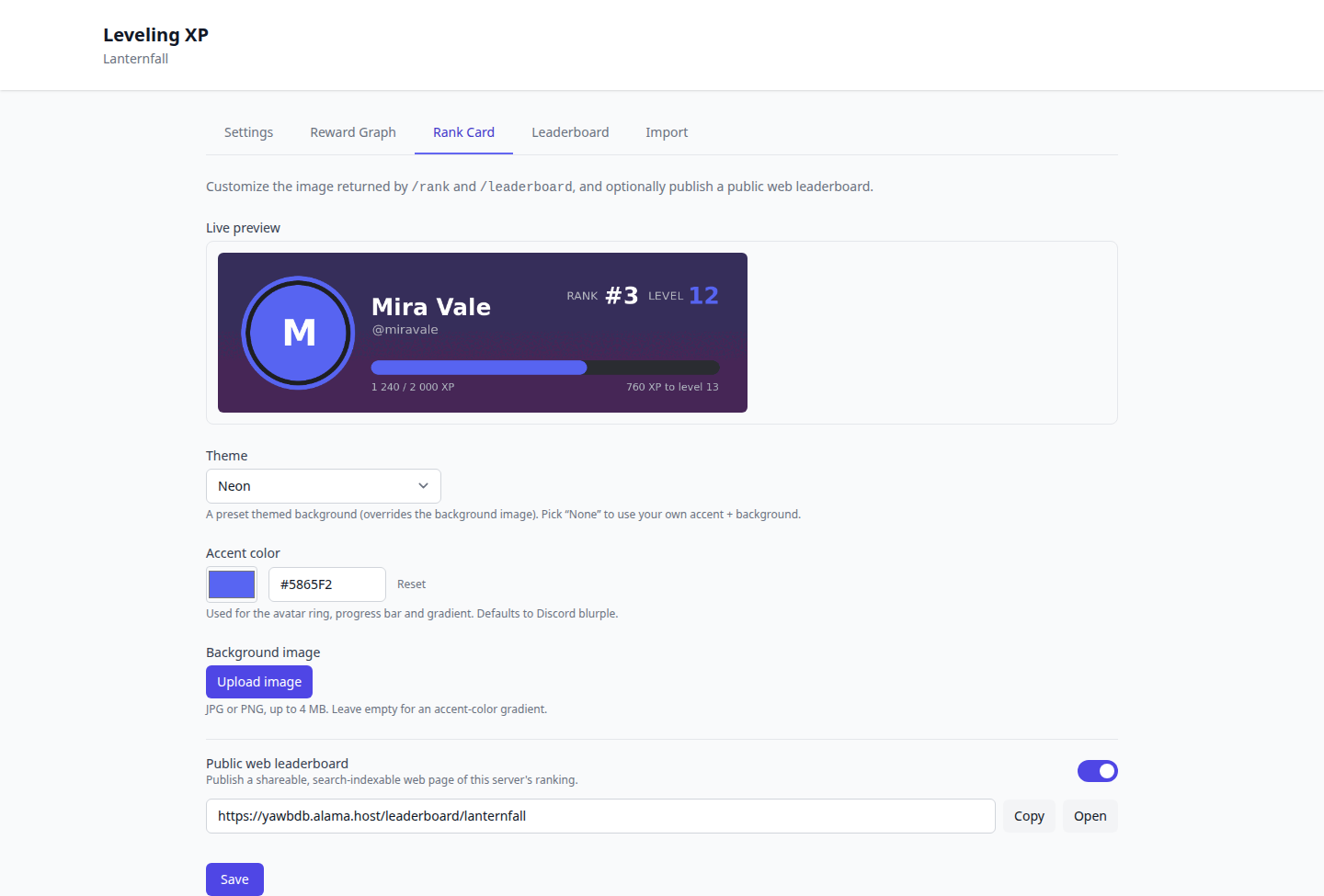
Open Levels → Rank Card in the panel:
- Theme — pick a ready-made look: Halloween, Christmas, Valentine, Neon, Summer or Winter. A theme paints its own decorated background and accent (it overrides the background image). Choose None to use your own accent + background instead.
- Accent color — sets the avatar ring, progress bar and background gradient. Defaults to Discord blurple.
- Background image — upload your own JPG or PNG (up to 4 MB). Leave it empty to use an accent-color gradient.
A live preview updates as you change the theme, accent or background, so you see the card before saving.
Changes apply within a few minutes (the bot refreshes its configuration on a short cycle — the panel shows a small countdown).
🌍 Public web leaderboard
Want to share your ranking outside Discord? Turn on Public leaderboard in Levels → Rank Card.
- Off by default — nothing is published until you explicitly enable it.
- Once on, you get a shareable link (
/leaderboard/your-server) that anyone can open in a browser, no login needed. - The page lists your top members with avatars, levels, XP, prestige and streaks.
- It's search-engine indexable, so your community can find it on Google.
Only usernames and avatars already visible on Discord are shown. Turning the toggle off takes the page offline again immediately.
⌨️ Commands
/rank [@user]— the rank card for you or another member/leaderboard— the top-10 image/top— today's top XP earner