Rules Channel
Updated by Maxime_48 · 4 weeks ago · Views: 297
Rules Channel helps you manage and sync your server rules through YAWBDB.
It is useful when you want a consistent rules message in Discord that can be managed from the panel.
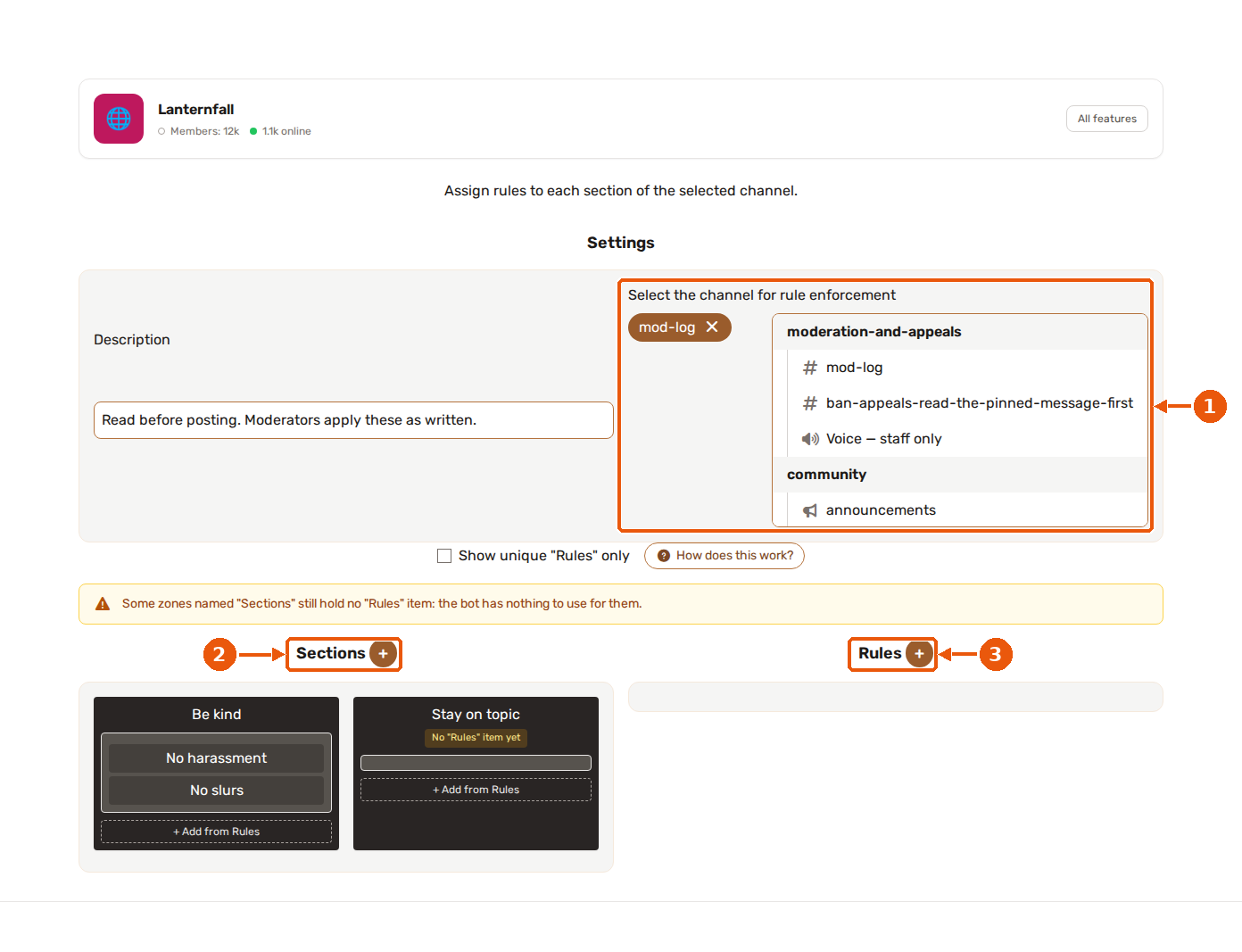
- Pick the Discord channel the rules apply to.
- Sections (the + button adds one): the groups your rules are organised in.
- Rules (the + button adds one): the individual rules you assign to sections.
✨ What it does
Rules Channel can publish or update rules content in a selected Discord channel.
This lets server staff edit the rules from the panel without manually rewriting the Discord message every time.
💼 Common use cases
Use Rules Channel for:
- Server rules
- Community guidelines
- Code of conduct
- Onboarding instructions
- Important channel links
⚙️ Configuration
A typical setup includes:
- Enable the Rules Channel feature.
- Select the Discord channel where rules should appear.
- Write or update the rules content.
- Save the configuration.
- Let the bot publish or sync the message.
🎨 Formatting tips
Good rules are:
- Clear
- Short
- Easy to scan
- Written in simple language
- Grouped by topic
Use headings, lists, and spacing to make the message readable.
💡 Best practices
- Keep rules updated.
- Avoid overly long messages when possible.
- Link to the full wiki if the rules are too large for one Discord message.
- Make sure the bot can send messages in the rules channel.
- Review rules after major server changes.