Anonymous Voting
Updated by Maxime_48 · 4 weeks ago · Views: 363
Anonymous Voting lets you create Discord-linked votes from the YAWBDB panel.
Members vote through an online page after logging in with Discord, while results remain anonymous.
🗳️ How voting works
A typical voting flow:
- Enable the Voting feature.
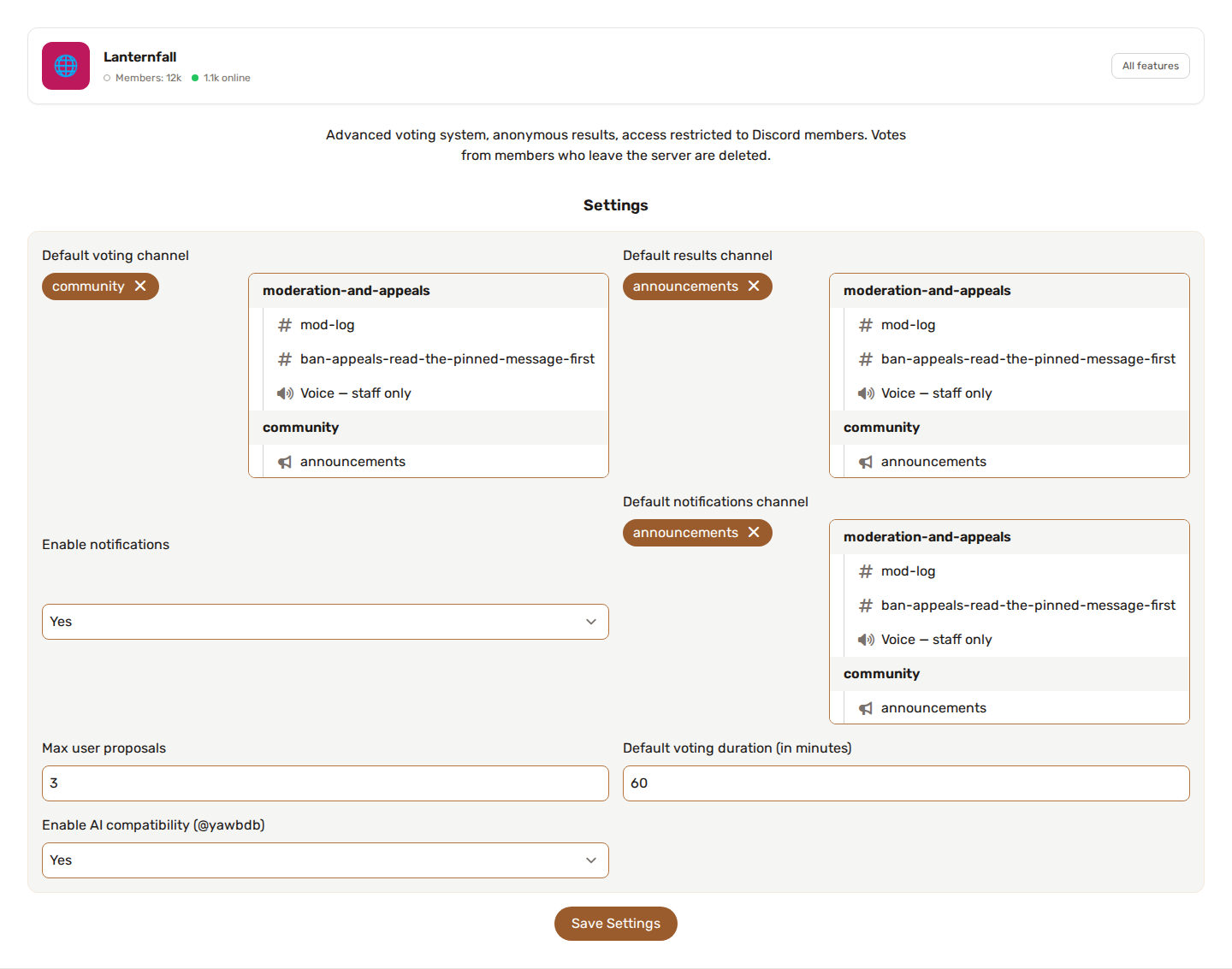
- Configure the default voting settings.
- Create a new vote from the panel.
- Select the Discord server and voting channel.
- Start the vote.
- YAWBDB posts a voting message in the selected Discord channel.
- Members open the link and log in with Discord to vote.
🔗 Discord login requirement
Users must log in with Discord before voting.
This helps YAWBDB check that the voter belongs to the relevant server.
A user may still be allowed for a short time after leaving a server because of caching behavior.
🔢 Multiple active votes
A server can run multiple votes at the same time.
The panel shows previous, active, and completed votes so staff can manage them from one place.
☑️ Vote options
When creating a vote, some fields may be pre-filled from the feature configuration.
You can adjust settings per vote if needed.
💡 User proposals
Votes can allow users to submit proposals.
This lets members suggest options directly on the voting page.
Staff can then approve or refuse proposals from the panel.
Approved proposals can appear as vote options.
⚠️ Important proposal behavior
If proposals are enabled, users should submit their proposal before voting.
Voting first may prevent that user from submitting a proposal later, depending on the vote configuration.
🔔 Notifications
When a proposal is approved, YAWBDB can post a notification message in the configured notification channel.
If a user-submitted option wins, the final results message can show the submitter's name.
💡 Best practices
- Explain the voting rules clearly in the vote description.
- Keep options short and easy to compare.
- Set a clear end date.
- Review user proposals before approving them.
- Use notifications so members know when new proposals are accepted.
- Test voting with a small internal vote before using it for important decisions.