Invite Guard
Updated by Maxime_48 · 2 weeks ago · Views: 222
Invite Guard decides who is allowed to create an invite to your server. Every invite created by anyone else is revoked as it appears.
Discord itself cannot do this: the Create Invite permission is all-or-nothing per role, and any member who has it can invite anyone, forever, from any channel they can see. Invite Guard puts a list in front of it.
🚪 How it works
The bot is notified the moment an invite is created. It works out who created it, compares that against your allow list, and removes the invite if nobody granted them the right — usually within a second, before the link has been used.
The creator is read from the invite itself. When the invite carries no author — an application's invite, for instance — the bot falls back to your server's audit log to name them.
✅ Always exempt (unless you say otherwise)
Switching Invite Guard on with nothing configured does not start deleting your team's invites. Four exemptions are on by default:
- YAWBDB itself — permanently exempt, so it never revokes an invite it was asked to create.
- The server owner — permanently exempt.
- Members who can manage the server — on by default. This is what keeps you from locking your own staff out the minute you enable the feature. You can turn it off.
- Applications you authorized — on by default. Bots and integrations keep their invites. Turn it off and they are revoked too; the log names which application it was.
🧩 Invites Discord creates on its own
The server widget (Server Settings → Engagement) and Server Discovery create their own invite. It has no author, leaves no audit entry, and Discord regenerates it as soon as somebody reads the widget again.
Revoking it is a fight you cannot win: the invite comes back, the bot deletes it, and your log fills up. So those invites are kept by default.
If you see invites in your logs with no creator, appearing on their own day after day, that is the widget — not an intruder. Turn the widget off in Server Settings → Engagement, or leave the exemption on.
Only turn Allow invites Discord creates on its own off if the widget and Discovery are both off too.
🛑 The stand-down
If five invites are revoked within one minute, the guard stops for that server and posts a notice in the log channel instead. Something is recreating invites faster than they can be removed, and trading deletions with it would achieve nothing but noise. The notice tells you where to look.
The guard picks back up on its own once the minute has passed.
⚙️ Settings
| Option | What it does |
|---|---|
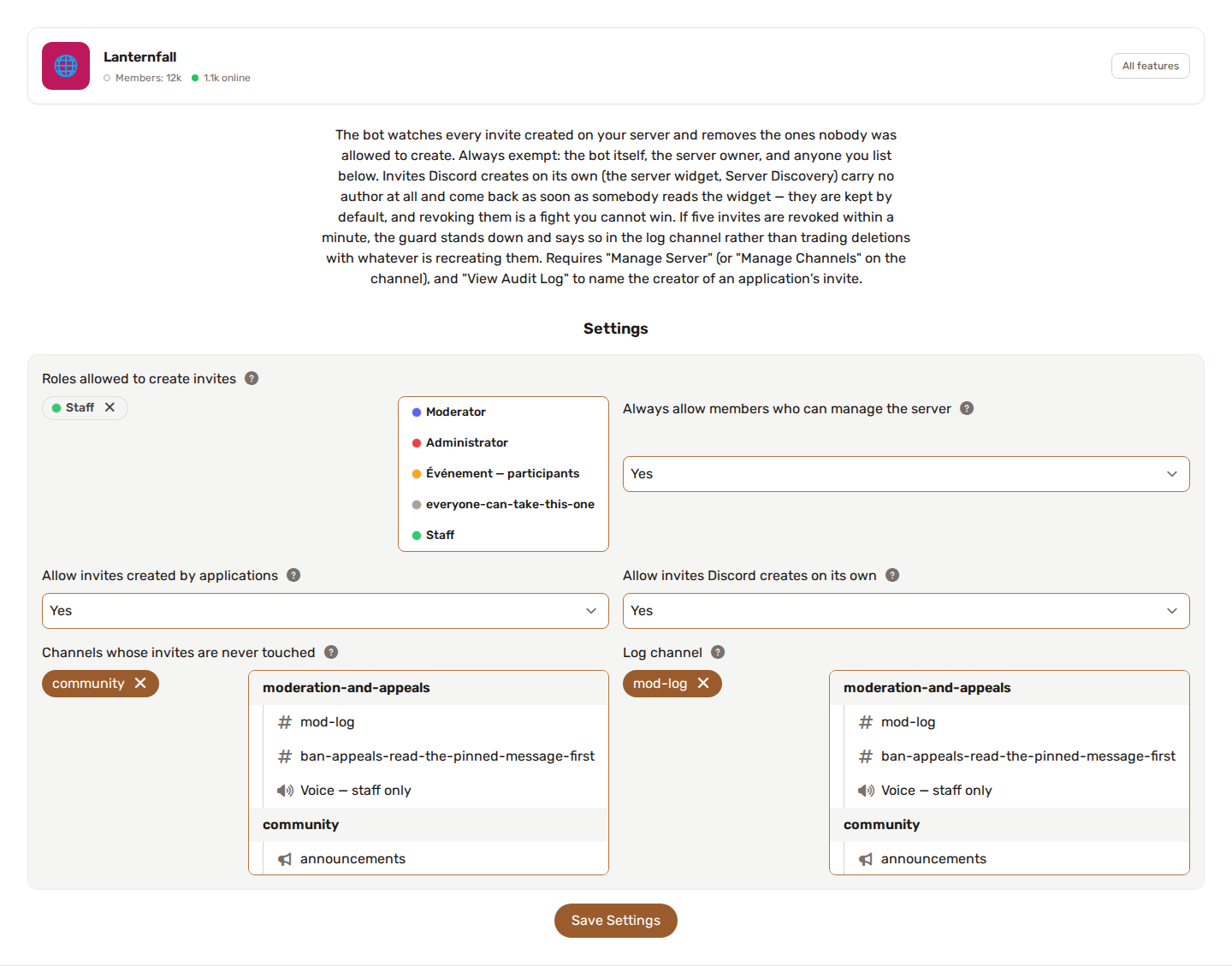
| Roles allowed to create invites | Anyone holding one of these roles can create invites freely. |
| Members allowed to create invites | Individual Discord user IDs, separated by commas or new lines — for someone who should keep the right without carrying a role. |
| Always allow members who can manage the server | On by default. See above. |
| Allow invites created by applications | On by default. |
| Allow invites Discord creates on its own | On by default — the widget and Discovery. |
| Channels whose invites are never touched | Invites pointing at these channels are left alone whoever created them. Useful for the channel your widget invites people to. |
| Tell the creator why their invite disappeared | Off by default. Sends a DM explaining the removal. Nothing is sent to applications, and a closed DM never blocks the removal. |
| Log channel | Where each revocation is reported. |
📋 What gets logged
Every removal is written to your log channel: the invite code, the channel it pointed at, who created it, why it was not allowed, and what happened. Nothing is removed silently.
Failures are logged too, and are usually one of two things:
- The bot is missing Manage Server (or Manage Channels on that channel).
- The bot's role sits too low to act. Move the YAWBDB role up.
To avoid burying the log, a failure notice is posted at most once a minute rather than once per invite.
🔑 Permissions
Invite Guard needs:
- Manage Server — or Manage Channels on the channel the invite points at — to delete an invite.
- View Audit Log — optional, but without it an application's invite cannot be attributed and is treated as authorless.
See Feature permissions.
↔️ Not the same as Automod's invite rule
Automod can delete messages containing an invite link — someone advertising another server in your chat.
Invite Guard works one step earlier: it removes invites to your own server that were not supposed to exist. The two are independent and often used together.
💡 Recommended setup
- Enable Invite Guard and set a log channel first.
- Leave all the exemptions on and watch the log for a day — you will see exactly what your server actually creates.
- Add your staff roles to Roles allowed to create invites.
- Only then decide whether to turn off the application or admin exemptions.
- If your widget is on and you want to keep it, leave Allow invites Discord creates on its own on, or add the widget's channel to the exempt list.