Anti-Nuke
Updated by Maxime_48 · 1 week ago · Views: 373
Anti-Nuke protects your server from a compromised admin account or a rogue moderator trying to destroy it.
While Anti-Raid watches members joining the server, Anti-Nuke watches destructive actions performed by people who already have power — bans, kicks, channel deletions and role deletions happening far too fast to be legitimate.
🧨 What Anti-Nuke detects
Anti-Nuke counts destructive admin actions per actor inside a sliding time window:
- 🔨 Mass bans
- 👢 Mass kicks
- 🗑️ Mass channel deletions
- 🗑️ Mass role deletions
When a single person crosses the threshold within the window, it is treated as a nuke.
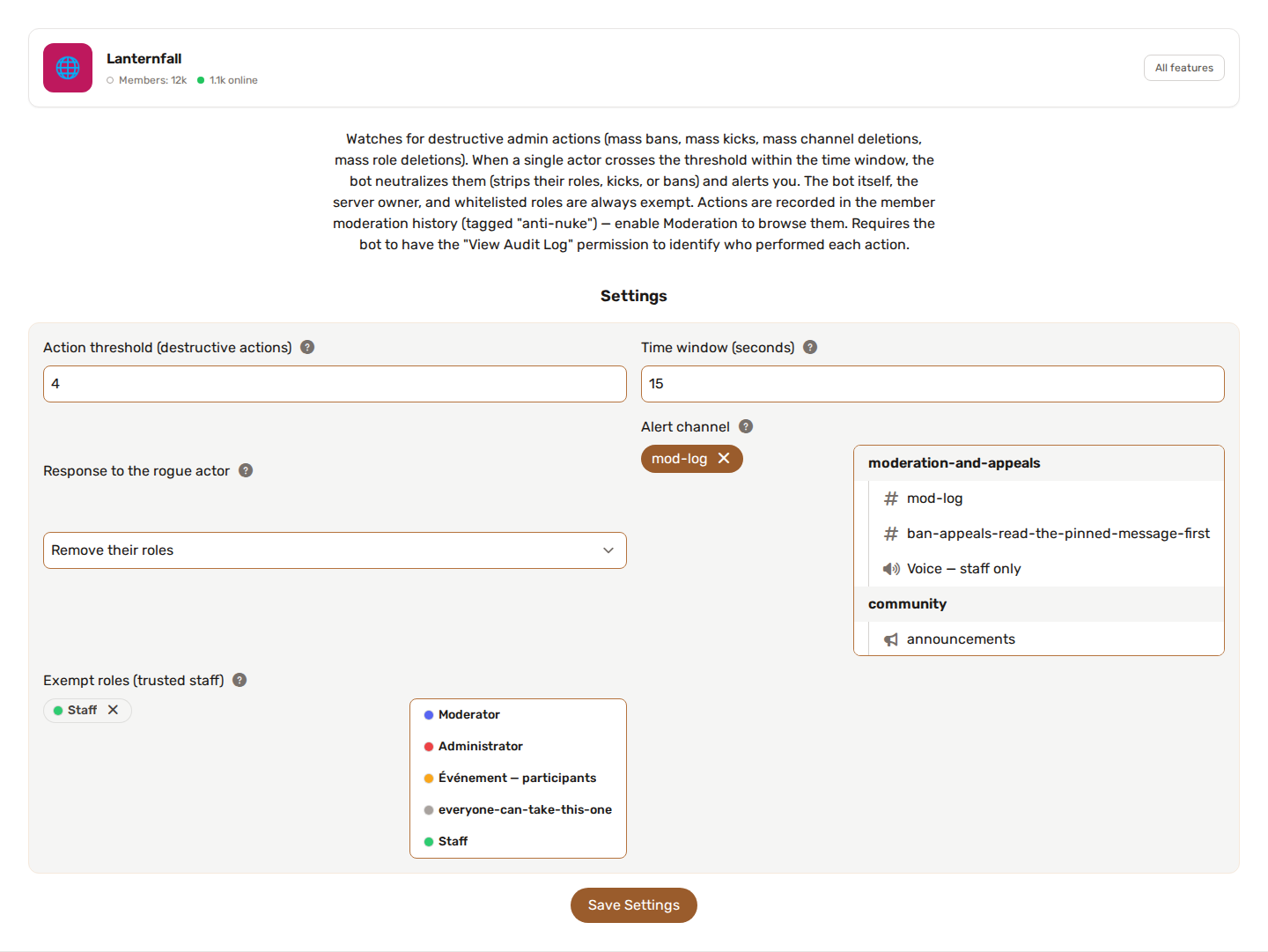
Example: 4 destructive actions by the same user within 15 seconds → nuke detected.
You can tune both the threshold and the window. After a nuke is handled, the same person is not flagged again for 60 seconds.
🛡️ Response to the rogue actor
When a nuke is detected, YAWBDB acts on the actor:
🧹 Strip roles (default)
Removes every role of the actor that the bot is allowed to remove, instantly neutralizing their permissions while keeping them in the server for review. The safest first line of defence. It is recorded as a warning in the moderation history.
👢 Kick
Removes the actor from the server.
🔨 Ban
Bans the actor from the server.
In every case the action is recorded in the member's moderation history (tagged anti-nuke), and the actor receives a direct message before the action is applied. If you set an alert channel, an alert listing what they did is posted there; if the response could not be applied (role hierarchy or missing permissions), the alert says so and asks you to act manually.
✅ Always exempt
Anti-Nuke never flags:
- YAWBDB itself — so its own Anti-Raid mass-bans never trigger it.
- The server owner — the bot cannot act on the owner anyway.
- Anyone with a whitelisted role — use this for senior staff you fully trust.
⚙️ Settings
| Option | What it does |
|---|---|
| Action threshold | Destructive actions by one actor before it counts as a nuke (2 to 50, default 4). |
| Time window (seconds) | Sliding window used to count those actions (3 to 120, default 15). |
| Response | strip_roles (default), kick or ban. |
| Alert channel | Where the detection notification is posted. |
| Role to ping | Optional role mentioned in the alert. |
| Exempt roles | Members with any of these roles are never flagged. |
🔑 Permissions
Anti-Nuke requires the bot to have View Audit Log — that is how it identifies who performed each action. Without it, detection cannot work.
Depending on the chosen response it also needs Manage Roles (strip roles), Kick Members, or Ban Members. See Feature permissions.
⚠️ The bot can only act on members below its own highest role. Keep the YAWBDB role near the top so it can neutralize a rogue admin.
💡 Recommended setup
- Enable Anti-Nuke and make sure the bot has View Audit Log.
- Leave the response on strip_roles to start — it is reversible and non-destructive.
- Whitelist your most trusted senior staff roles.
- Set an alert channel (and optionally a role to ping) so you hear about incidents immediately.
- Move the YAWBDB role high in the list so it outranks the admins it must protect you from.