Auto Responder
Updated by Maxime_48 · 1 week ago · Views: 334
Auto Responder lets YAWBDB send custom responses when messages match specific words, phrases, or patterns.
It is useful for simple automation that does not require AI.
💼 Common use cases
Auto Responder can be used for:
- Frequently asked questions
- Server links
- Support reminders
- Rule reminders
- Keyword-based help
- Fun responses
- Quick replies in any channel the bot can read
🎯 Matching messages
Responses can be triggered by different kinds of matching rules, depending on your configuration.
Examples:
- A specific word
- A phrase
- A pattern
- A regular expression
Use simple triggers when possible. Regex patterns are powerful but can be harder to debug.
🎯 How a trigger matches
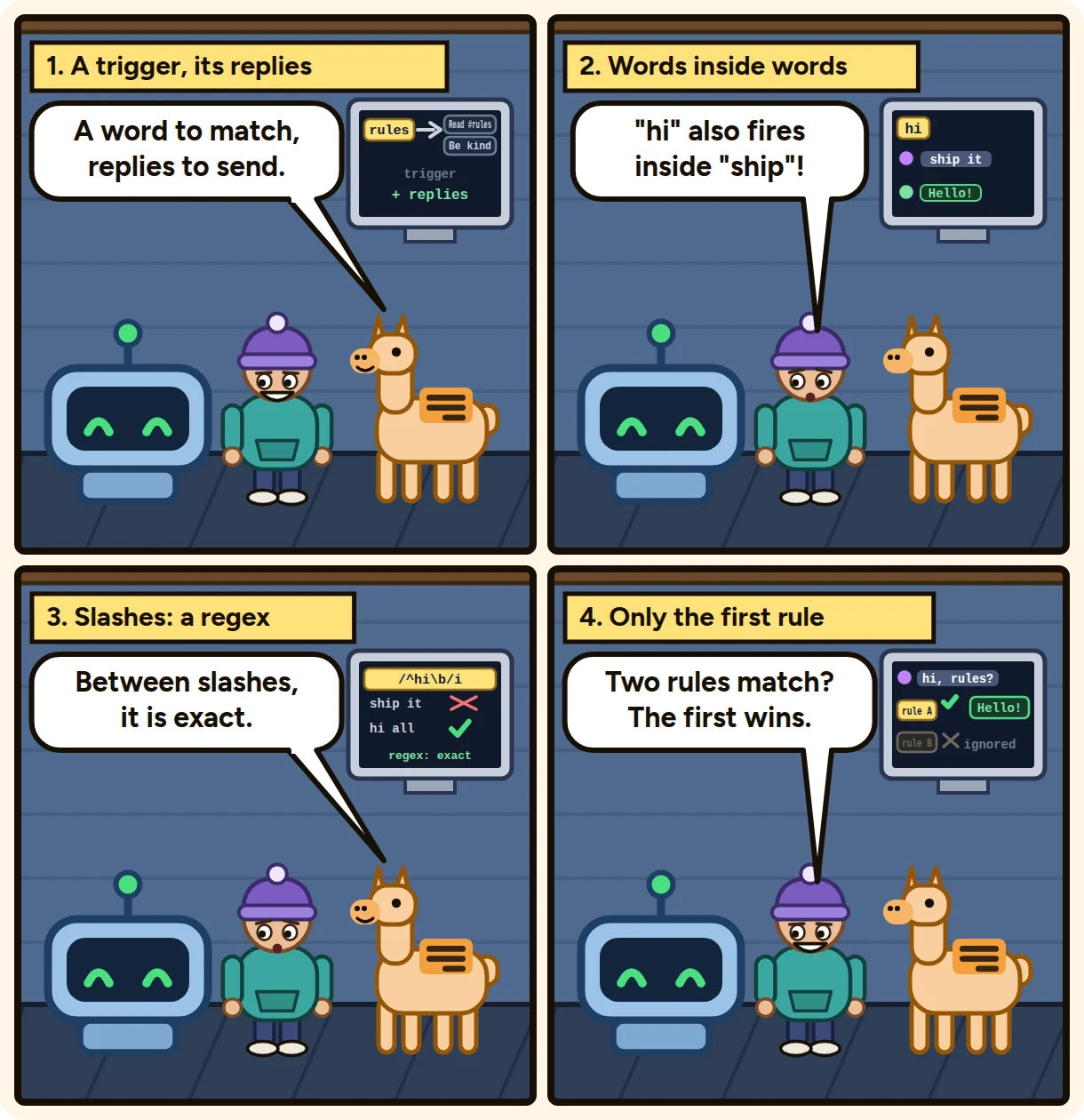
A plain trigger matches when the message contains it anywhere, in any capitalization. It is a substring match: the trigger hi also fires on "ship", so prefer specific words.
A trigger written between slashes is read as a regular expression, for example /^!help\b/i. With no flags it ignores case. An invalid pattern, or one longer than 200 characters, never matches.
When several rules match the same message, only the first one answers, and it sends all of its responses.
There is no channel or category filter: a rule applies in every channel the bot can read, except ticket and report channels. Messages from bots are ignored, and so are messages that Honeypot or Automod already removed and messages that run a text command.
🖱️ Drag-and-drop configuration
Auto Responder can use a drag-and-drop style interface for mapping responses and triggers.
This makes it easier to organize multiple responses without editing raw configuration files.
↔️ Difference from AI Responses
Auto Responder is deterministic.
If a message matches the rule, the configured response is used.
AI Responses are dynamic and context-aware. They can generate different replies depending on the conversation.
Use Auto Responder for fixed, predictable replies. Use AI Responses when you want context-aware behavior.
💡 Best practices
- Keep trigger phrases specific enough to avoid accidental replies.
- Avoid too many global triggers.
- Every rule applies in every channel, so keep triggers specific: they cannot be limited to one channel.
- Test each response after creating it.
- Use AI Responses for complex questions instead of creating too many keyword rules.