Honeypot
Updated by Maxime_48 · 1 week ago · Views: 466
Honeypot lets you set traps. A channel nobody should post in, a role nobody should wear, an invite nobody should have — anyone who walks into one is sanctioned automatically, with no moderator action needed.
It is designed to catch spammers, self-bots, and compromised accounts that blast every channel they can see, while legitimate members who follow your rules never trigger it.
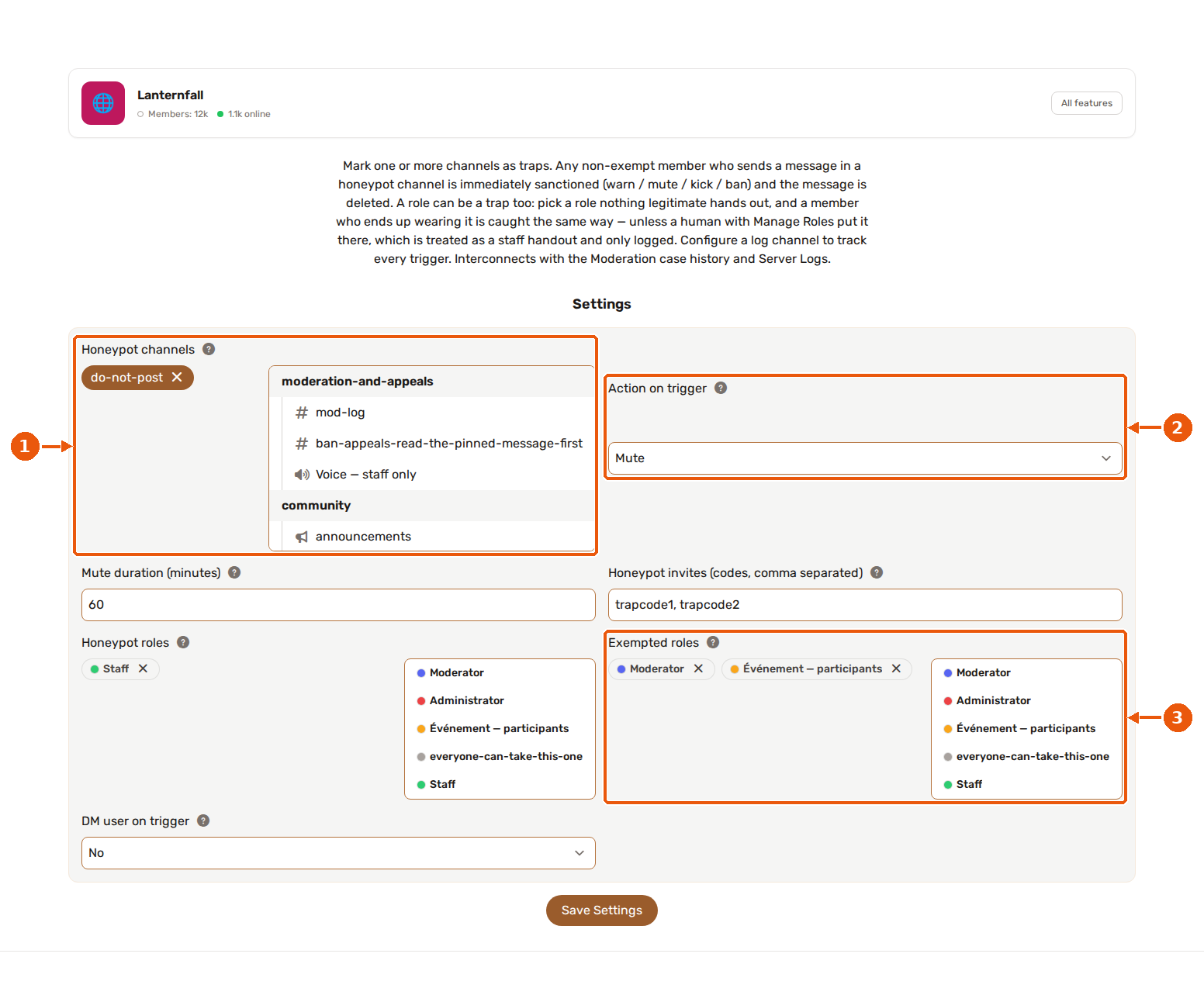
- Honeypot channels: the trap channels. Anyone who is not exempt and posts here is sanctioned.
- Action on trigger: warn, mute, kick or ban. Start with mute or warn.
- Exempted roles: members holding any of these never trigger the trap. Add your moderator and bot roles.
🍯 How it works
You mark one or more channels as honeypot channels.
When a member who is not exempt sends a message in one of those channels, YAWBDB:
- Deletes the message.
- Applies the action you configured (ban, kick, mute, or warn).
- Optionally sends the member a DM explaining what happened.
- Logs the trigger.
Example: a
#do-not-postchannel placed where curious or automated accounts will find it. Real members have no reason to post there — bots that spam every channel out themselves instantly.
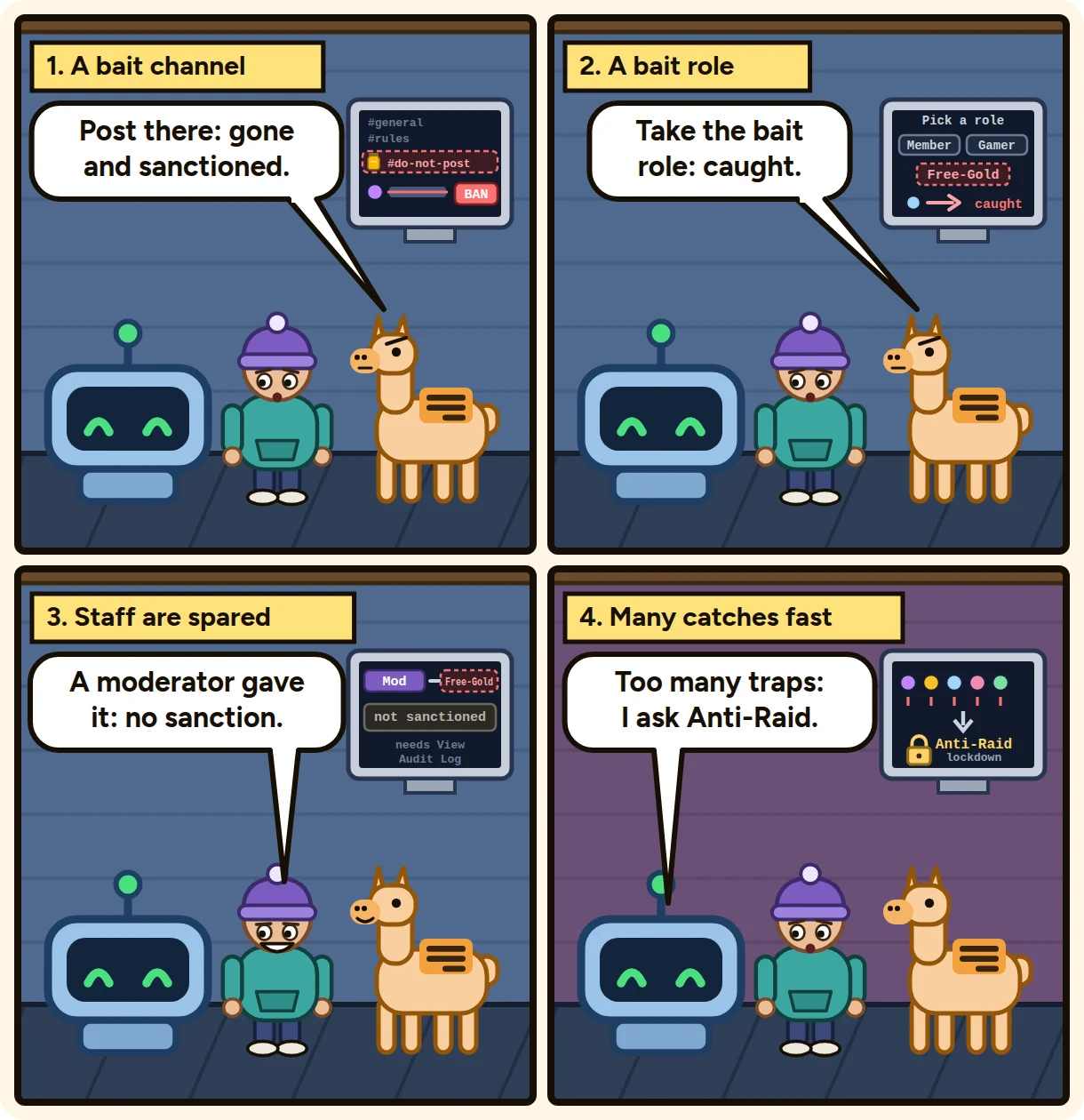
🎭 The three kinds of trap
A channel trap only catches someone who types. The other two catch accounts that never say a word.
💬 Channel trap
The original: a channel where posting is the offence. Covered above.
🎫 Role trap
Pick a role nothing legitimate hands out and list it under Honeypot roles. A member who ends up wearing it is sanctioned and the role is taken straight back off them.
The usual setup is a decoy in a Reaction Roles message — something tempting like Staff or Free Nitro sitting next to your real self-assign roles. An account that clicks everything to see what it can get takes it; a member reading the list does not.
Staff handing out the role is not a catch. If a human with the Manage Roles permission gives someone the trap role — a misclick while dragging roles, or a deliberate handout — nobody is sanctioned. It is logged in grey instead, so you can see it happened.
Telling the two apart needs the bot's View Audit Log permission. Without it the bot cannot see who granted the role, and every grant counts as a trigger. Give it that permission before using a role trap.
A bot granting the role is a catch — YAWBDB itself is what assigns a Reaction Role, so sparing bots would disable the whole point.
Only a role that has just arrived counts. Someone already wearing the trap does not re-trigger it every time they change their nickname.
🔗 Invite trap
Create an invite, list its code under Honeypot invites, and post it where only a scraper or a raid list would find it. Anyone who joins through it is sanctioned before they say a word.
Two requirements, and the trap does not work without them:
- The bot needs the Manage Server permission. It is the only way to read invite use counters at all.
- Create the trap invite with unlimited uses and no expiry. Discord deletes an invite the moment it hits its limit, and the bot cannot tell a spent trap from a moderator deleting an invite — so it acts on neither.
Paste the code (the part after discord.gg/), not the whole link. A whole link works too; only the last segment is kept.
When the bot is not sure, nobody is sanctioned. Discord never says which invite a member used. The bot works it out by watching which use counter moves when somebody joins. If two members join in the same instant, two counters move and there is no way to pair them up — so it sanctions neither and logs that it could not tell. The same goes for the first join after the bot restarts, before it has a baseline to compare against.
If you also use Invite Guard, add your trap invites to what it allows. Otherwise it revokes them and the trap quietly disappears.
🚨 Cascade to Anti-Raid
One trap firing is a member misbehaving. Several inside a minute is a raid.
Set Cascade to Anti-Raid after N triggers and pick a window. When that many triggers happen inside it — channel, role and invite all count together — the bot asks Anti-Raid for a lockdown.
This catches raids that Anti-Raid's own door counter misses: attackers who join slowly enough to stay under the join threshold still walk into the same decoy channel or click the same decoy role.
- Anti-Raid must be enabled on the server. If it is not, the cascade is written to your log channel and nothing else happens — a honeypot setting will not switch lockdowns on behind your back.
- The lockdown is Anti-Raid's, with Anti-Raid's own action. If that action is kick or ban, it also removes members who joined in the last 30 seconds — which can reach someone who did nothing. Set the threshold high enough that reaching it really means a raid, not three curious members in a row.
- 0 turns the cascade off, which is the default.
⚙️ Actions
You choose a single action that applies whenever the honeypot is triggered.
🔨 Ban
Removes and blocks the member from the server.
👢 Kick
Removes the member from the server. They can rejoin with a new invite.
🔇 Mute
Times the member out for a configurable duration (in minutes).
⚠️ Warn
Records a warning in the member's moderation history and logs the trigger, but applies no Discord punishment. Useful to test your setup or to monitor a channel without acting on it.
🛡️ Exempted roles
Members holding any exempted role never trigger the honeypot.
Add your admin, moderator, and bot roles here so your team can post freely in trap channels without being sanctioned.
Bots are always ignored, including YAWBDB itself.
📢 Warning embed
You can optionally have the bot keep a warning embed in each honeypot channel, telling members not to post there.
- The embed is auto-pinned and posted the moment you save your channel selection.
- It is re-posted automatically if it ever goes missing.
- It is removed if you turn the option off.
- You can set a custom title and message, or leave them blank for sensible defaults.
Use a warning embed when the honeypot is meant as a visible deterrent ("posting here results in an instant ban"). Leave it off when you want the channel to look like a normal one and quietly catch offenders.
✉️ DM on trigger
You can optionally send the sanctioned member a direct message explaining the action.
DMs may fail silently if the member has direct messages disabled or does not share the server anymore (for example after a ban).
📋 Logging
Honeypot triggers are logged so you keep a record of every catch.
Own log channel
When enabled, the bot posts a detailed embed for every trigger to a log channel you choose: the user, the channel, the message content, and the action taken.
You can turn this off entirely.
🔗 Honeypot and Server Logs
When the Server Logs feature is active and has a Moderation log channel configured, honeypot triggers flow into that stream automatically, alongside manual, Automod, and Anti-Raid actions.
In that case the honeypot's own log channel is bypassed, so each trigger is logged once — not twice. If you disable Server Logs (or its Moderation category), the honeypot falls back to its own log channel.
🔗 Honeypot and Moderation
Every honeypot hit, plain warns included, is recorded in the member's sanction history, exactly like a manual sanction, tagged with the source Honeypot.
This means honeypot bans and mutes appear in moderation history, count toward the member's record, and — where applicable — can generate appeal links the same way other sanctions do.
The triggering message is included in the sanction reason so you always know what was posted.
👍 Recommended setup
- Create a channel real members have no reason to post in (for example a clearly labelled
#do-not-post, or a decoy that looks like a giveaway or verification channel). - Mark it as a honeypot channel.
- Exempt your staff and bot roles.
- Start with mute or warn while you confirm the setup behaves as expected, then switch to kick or ban.
- Enable a warning embed if you want it to act as a deterrent, or leave it off for a silent trap.
- Make sure Server Logs (or an own log channel) is configured so you can review catches.
Once that works, add the other two traps:
- Give the bot View Audit Log, then add a decoy role to a Reaction Roles message and list it under Honeypot roles.
- Give the bot Manage Server, create an invite with unlimited uses and no expiry, list its code, and post it somewhere only a scraper would look.
- Only once all of that has been running quietly for a while, set a cascade threshold — and set it high.
💡 Best practices
- Always exempt your moderation and bot roles before enabling a destructive action.
- Use warn first to verify the channel and exemptions are correct.
- A silent trap (no warning embed) catches more bots; a visible one deters humans.
- Place the honeypot where automated accounts will reach it but real members won't post by accident.
- Review honeypot catches in your moderation history or Server Logs periodically to confirm there are no false positives.
- Give the trap role a name that tempts rather than warns.
Do not clickcatches nobody;Staffcatches plenty. - Never place a trap role above a real role in the hierarchy, and never give it permissions. It is bait, not access.
- Check your log channel for the grey entries too: "role handed out by staff" and "join not attributed" are the bot telling you it chose not to act, and both are worth reading.