Temporary Voice
Updated by Maxime_48 · 1 week ago · Views: 303
Temporary Voice gives every member their own on-demand voice channel. You set up a single "Join to Create" hub; the moment someone joins it, the bot spins up a fresh voice channel just for them, moves them in, and hands them full control. When the last person leaves, the channel disappears on its own — no clutter, no manual cleanup.
🎙️ How it works
- A member joins your hub voice channel.
- The bot instantly creates a new voice channel (under the category you chose) and moves the member into it.
- That member becomes the channel's owner and can manage it with
/voicecommands. - When everyone leaves, the channel is deleted automatically.
⚙️ Setting it up
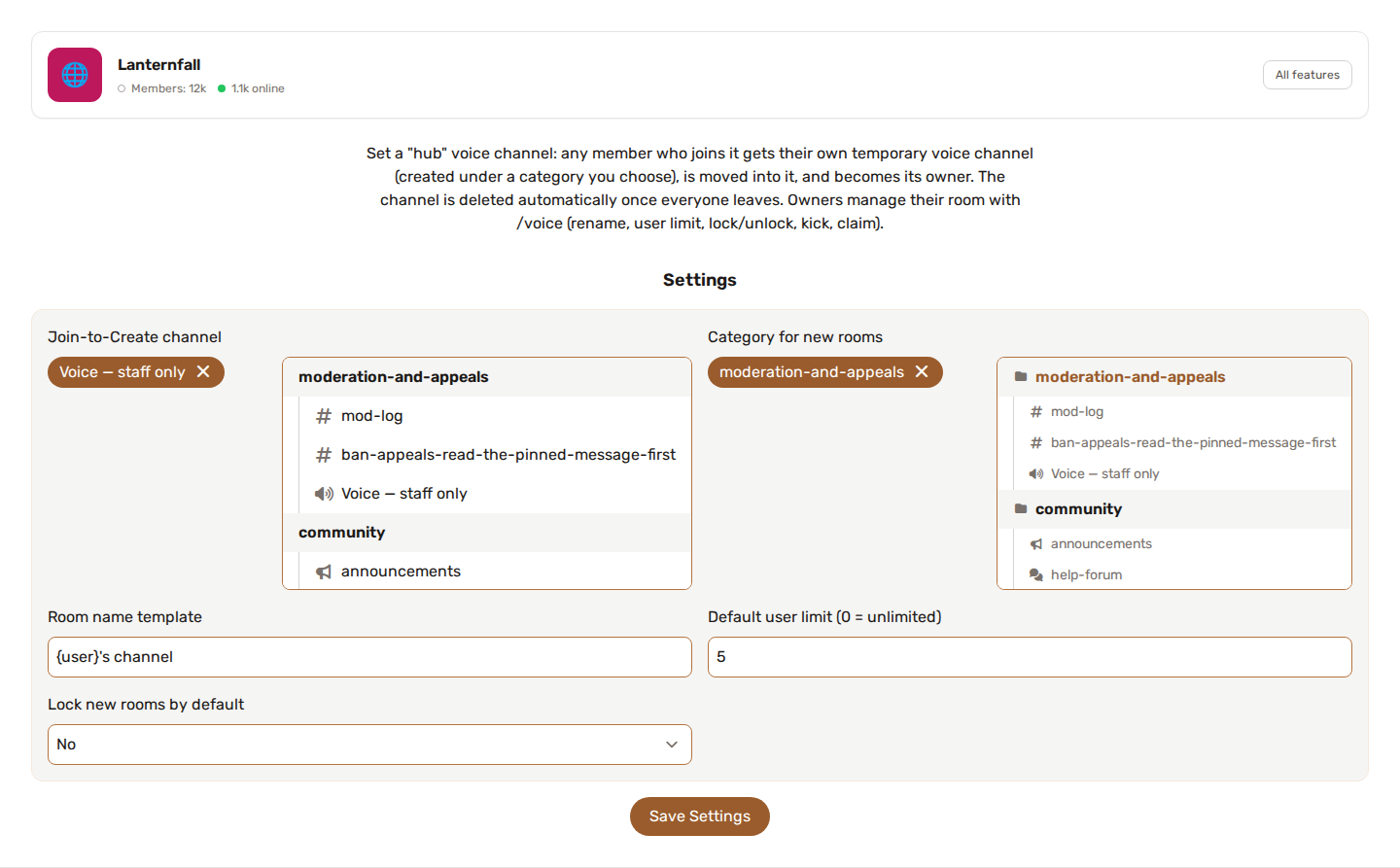
From your server → Temporary Voice:
- Join-to-Create channel - the voice channel members join to get their own room. Joining it never keeps the member there: they are moved to their new room.
- Category for new rooms - where new temporary channels are created (keep it separate so they stay tidy). Leave it empty to create them at the top level.
- Room name template - the name given to each room. Use
{user}for the owner's display name. Leave it empty for{user}'s channel. - Default user limit (0 = unlimited) - optional cap on how many people can be in a new room, from
0to99(Discord's maximum). Owners can change it with/voice limit. - Lock new rooms by default - choose yes and new rooms start locked: only the owner can get in and let others in. With no, anyone can join.
🕹️ Owner controls — /voice
The member who created a room controls it with slash commands:
/voice rename— change the room's name./voice limit- set the maximum number of members (0to99,0removes the limit)./voice lock— stop new members from joining./voice unlock— reopen the room to everyone./voice kick— remove a member from the room./voice claim— take ownership of a room whose original owner has left.
Commands only work while you are inside a temporary channel, and only its owner can use them (except claim, which works when the owner is no longer in the room). The bot answers privately, so only you see the reply. /voice rename is subject to Discord's limit of two renames per 10 minutes.
🔔 Server Logs
Because these channels are created and deleted constantly, their create/delete events are hidden from Server Logs by default to avoid noise. If you want to track them, turn on "Log temporary voice channel create/delete" under More settings in your server's Server Logs page.
✅ Requirements
The bot needs the Manage Channels and Move Members permissions to create rooms and move members into them. If rooms aren't being created, check those permissions first.
💡 Tips
- Name your hub something obvious like
➕ Join to Createso members know what it does. - Put the hub and the temporary category together at the top of your voice channels.
- Enable Locked by default for private-by-default rooms — owners just
/voice unlockwhen they want company.